Blink Count Button Press#
Language Instruction
Count how many times the blue lamp blinks, press the red button exactly that many times when the red lamp turns green, then press the black button to submit your answer.
Task Description
Temporal counting: count blue-lamp blinks, wait for execution, press the red button exactly that many times, then submit.
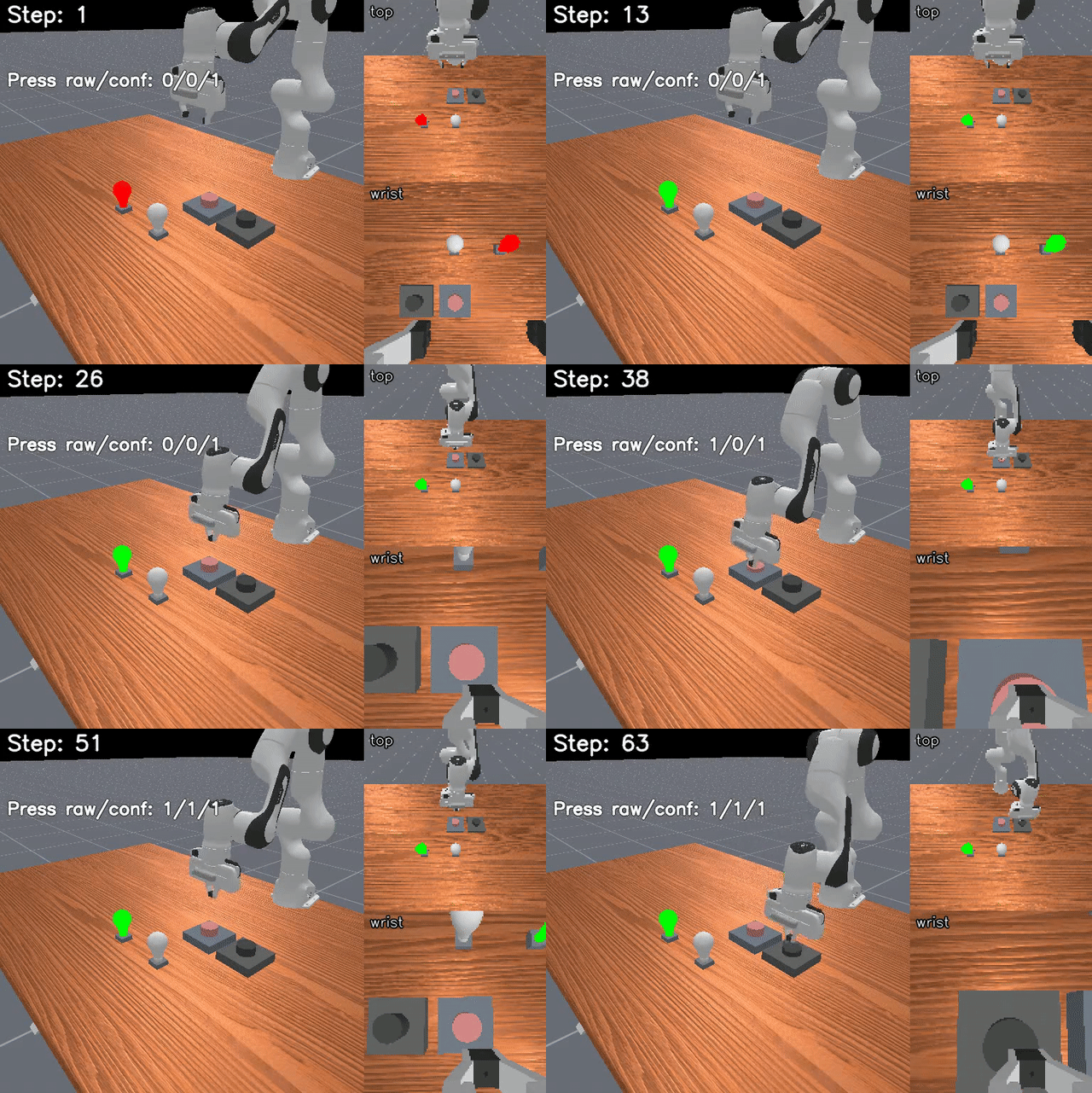
Source#
Module:
mikasa_robo_suite.vla.memory_envs.blink_count_button_press_vlaSource file:
mikasa_robo_suite/vla/memory_envs/blink_count_button_press_vla.py
Difficulty and Parameters#
Easy, Medium, Hard, and Long variants increase count range, delay, and total horizon.
Variants#
Env ID |
Horizon |
Data Source |
|---|---|---|
|
1200 |
MP |
|
150 |
MP |
|
1200 |
MP |
|
300 |
MP |
|
1200 |
MP |
|
200 |
MP |
Run Example#
import gymnasium as gym
import torch

import mikasa_robo_suite.vla.memory_envs  # registers VLA env IDs
from mikasa_robo_suite.vla.utils.apply_wrappers import apply_mikasa_vla_wrappers

env = gym.make(
    "BlinkCountButtonPressEasy-VLA-v0",
    num_envs=1,
    obs_mode="rgb",
    control_mode="pd_ee_delta_pose",
    render_mode="all",
)
env = apply_mikasa_vla_wrappers(env)
obs, info = env.reset(seed=42)
for _ in range(env.max_episode_steps):
    action = env.action_space.sample()
    if not torch.is_tensor(action):
        action = torch.as_tensor(action, device=env.unwrapped.device)
    obs, reward, terminated, truncated, info = env.step(action)
env.close()
Dataset Collection#
Motion-planning MIKASA-Robo-90 variants use planner plus replay collection:
uv run python mikasa_robo_suite/vla/dataset_collectors/get_mikasa_robo_datasets_motion_planning.py \
  --env-id BlinkCountButtonPressEasy-VLA-v0 \
  --path-to-save-data data_mikasa_robo \
  --num-train-data 250 \
  --max-attempts 5000 \
  --seed 0
Render Videos#
Generate a fresh MP4/GIF render with:
uv run python utils/prepare_benchmark_demo_videos.py \
  --tasks BlinkCountButtonPressEasy-VLA-v0 \
  --output-dir videos/benchmark_demos \
  --max-attempts-per-task 8 \
  --overwrite
Generated media stays under videos/ and should be published deliberately rather than committed by default.